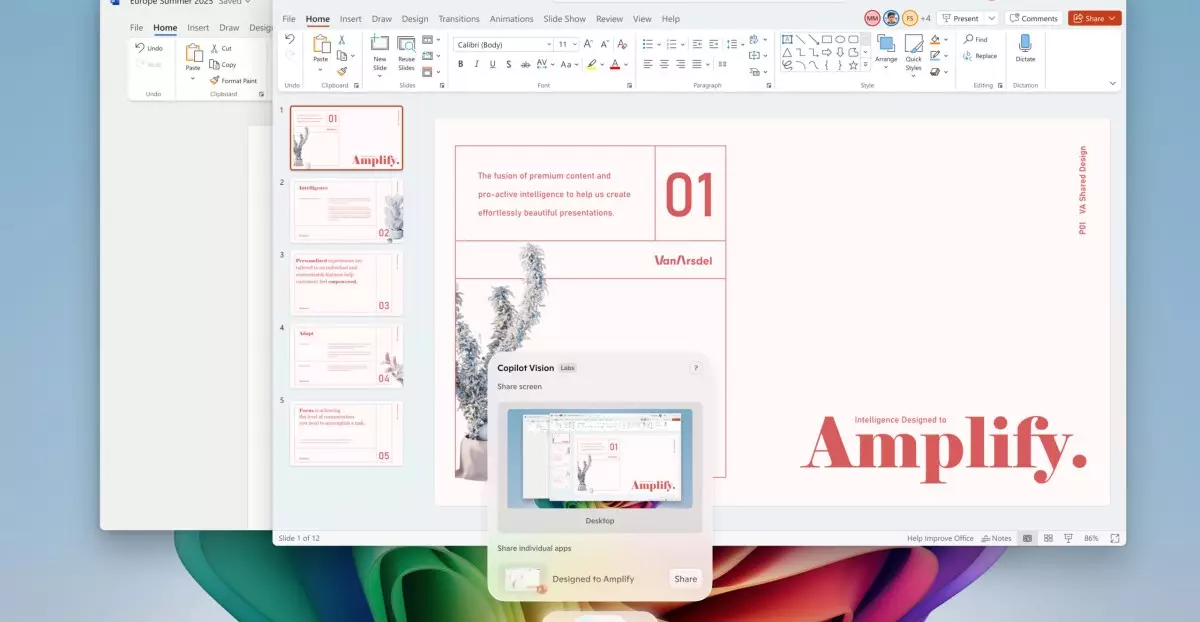
Microsoft’s latest rollout signals a paradigm shift in how individuals engage with their computers. By integrating advanced AI features—particularly the revolutionary Copilot Vision—the company is transforming Windows 11 from a traditional operating system into an intelligent assistant poised to elevate productivity and user experience. Unlike conventional interfaces that rely heavily on manual inputs, these new functionalities empower users to interact naturally with their devices, making computing more intuitive than ever before. This strategic move not only underscores Microsoft’s commitment to innovation but also reflects a broader industry trend where AI personalization becomes central to daily digital interactions.
The ability for Copilot Vision to analyze and interpret on-screen content offers a level of interactivity that borders on science fiction. Asking questions aloud about what’s on the screen, for example, shifts the user experience from passive observation to active collaboration. This opens exciting possibilities for tasks such as content editing, research, and troubleshooting, thereby making the PC a proactive partner rather than just a tool. Such capabilities are poised to dramatically reduce friction in workflows, accommodate diverse user needs, and foster a more engaging digital environment. It’s a bold assertion that PCs are no longer just hardware—rather, they are becoming intelligent assistants seamlessly integrated into our daily lives.
Strategic Differentiation: Exclusive Features for Power Users
While Microsoft broadens AI access to all Windows 11 users, it tactically introduces advanced features exclusively for Copilot Plus PCs—those equipped with Snapdragon processors. This dual-tier approach effectively creates a competitive incentive for upgrading to high-end hardware, similar to the premium models seen in other tech sectors. The inclusion of AI-powered tools like the “agent” in Settings, which simplifies navigating system configurations via natural language, demonstrates Microsoft’s ambition to streamline user devices into more autonomous, user-friendly systems.
Furthermore, features like the “Click to Do” preview exemplify how Microsoft is reimagining multitasking and automation. The expanded range of actions—from drafting documents to managing meetings—cements Windows 11’s role as a productivity hub capable of anticipating user needs. These exclusive capabilities not only enhance efficiency but also serve to position Microsoft as a leader in AI-driven personal computing. The strategic layering of features distinguishes the premium user experience and hints at a future where hardware and software are increasingly interconnected through intelligent automation.
Practical Enhancements and Broader Accessibility
Despite the focus on high-end devices, Microsoft ensures that essential tools remain accessible to the wider user base. The roll-out of features like the color picker in Snipping Tool, along with automatic system repairs, underscores an understanding that user convenience remains paramount. These improvements, although less flashy, significantly impact everyday functionality and user satisfaction.
Interestingly, Microsoft’s AI-powered image editing tools—such as sticker generation and object selection—embody a broader shift toward creative empowerment within user applications. They suggest a future where even casual users can harness sophisticated AI capabilities without extensive training or technical expertise. By democratizing these tools, Microsoft is laying the foundation for a more inclusive digital environment that fosters creativity and productivity across all levels of users.
The concept of “perfect screenshots” via AI—aimed at precisely capturing content—also highlights a subtle but impactful evolution in user interface design. It demonstrates Microsoft’s recognition that small enhancements at the interaction level can significantly elevate the overall user experience, especially in an era defined by visual communication and content sharing.
Challenges and Critical Perspectives
However, embracing such transformative AI integration invites scrutiny. The reliance on large-scale AI models raises questions about privacy, data security, and potential overreach. As these tools become more deeply embedded in Windows, users may find themselves navigating complex privacy considerations, especially concerning what data is analyzed and retained. Moreover, the temptation for corporations to exploit these tools for targeted advertising or data collection could overshadow the benefits if not carefully managed.
Another concern is accessibility—while advanced features are exciting, they risk alienating users with limited hardware capabilities or those uncomfortable with AI interaction. Ensuring a balanced deployment that respects user autonomy and safeguards against unintended consequences is essential. Additionally, the performance impact of these AI features on system stability and responsiveness must be critically examined, particularly for less powerful devices.
Lastly, the pace of innovation risks creating a fragmented user experience. As features roll out gradually and vary by hardware, users may encounter inconsistencies, leading to confusion or frustration. Microsoft must strike a delicate balance between innovation, inclusivity, and user trust to sustain long-term adoption and satisfaction.
Microsoft’s AI-driven enhancements for Windows 11 herald a promising future where interaction, productivity, and creativity are fundamentally reshaped. Yet, they also demand a cautious approach—where technological ambition is tempered by vigilant attention to ethics, privacy, and user-centered design. Only through such a balanced lens can these innovations fulfill their transformative potential without compromising core values.
Leave a Reply